







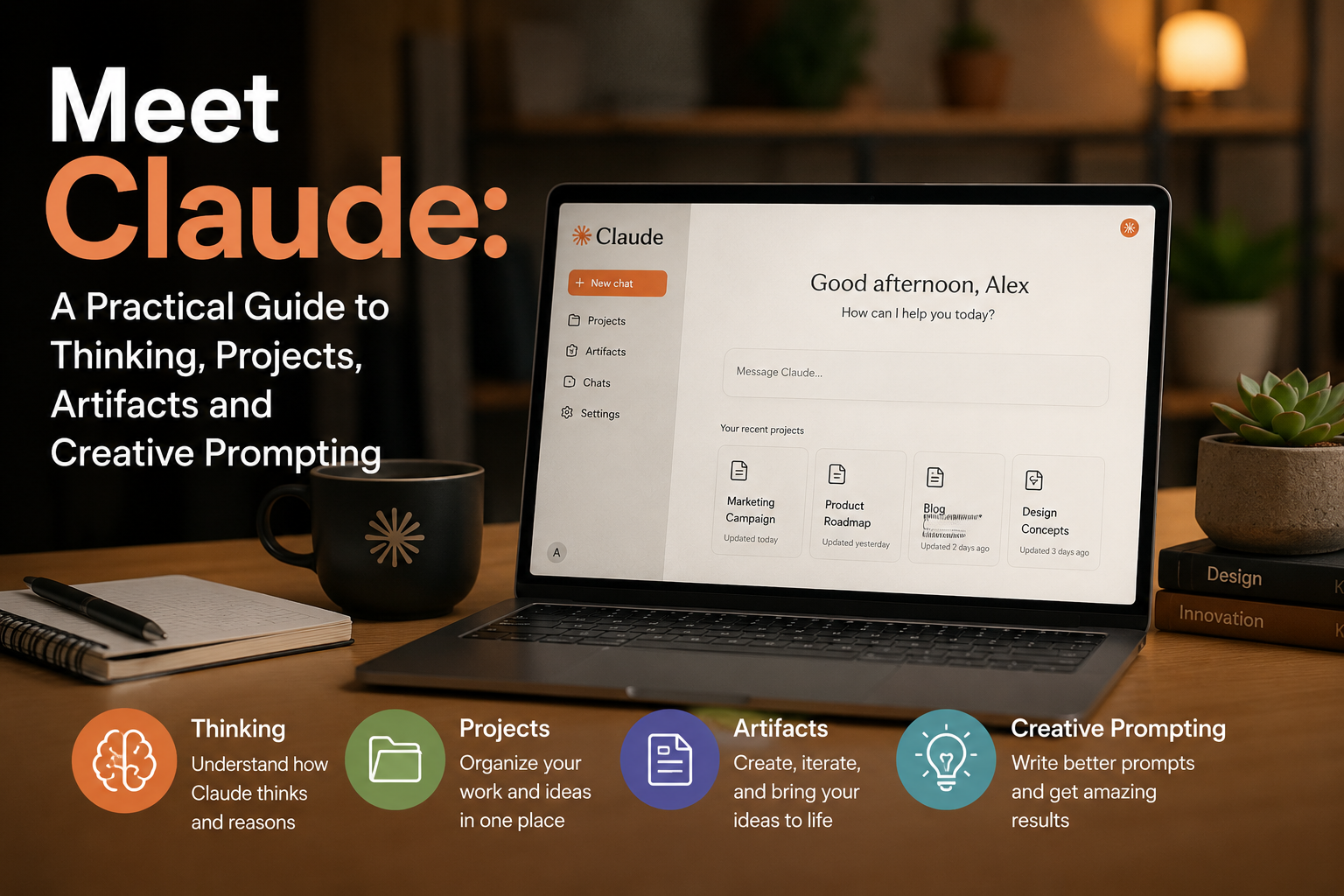
Before learning prompts, tricks and advanced techniques, there is one important thing to understand about Claude: the way you frame a task can determine the quality of the result.
Claude is more than a conventional chatbot. It is designed to work as a reasoning partner, particularly when a task requires context, structure, careful analysis and thoughtful communication.
The clearer your objective, the better Claude can understand what you are trying to accomplish.
Rather than simply asking, “Can you do this for me?”, a more effective approach is:
“Here is what I am trying to solve. Let’s think it through.”
That small change can make your interaction with Claude much more productive.
First Impressions Matter
If you are moving to Claude from another AI platform, you may notice some differences immediately.
Claude can sometimes appear more cautious. It may ask clarifying questions instead of immediately producing an answer, and its responses can feel more deliberate.
This reflects a design philosophy that emphasizes context, reasoning and clarity.
Instead of making assumptions when important information is missing, Claude may pause to understand the problem before moving forward.
How Claude Approaches Problems
Claude generally tries to work through several stages when responding to a complex request:
- Collect relevant context
- Understand the user’s intent
- Consider possible implications
- Avoid oversimplifying complicated issues
- Produce a structured response
This approach can be particularly useful for research, writing, planning, analysis and other tasks where accuracy and nuance matter.
However, careful reasoning does not eliminate the need for a good prompt.
Where Claude Can Struggle
Claude may have difficulty when:
- The objective is unclear
- The prompt depends heavily on guesswork
- You request a creative output without providing boundaries
- You need an extremely fast response rather than a detailed one
The lesson is simple: more information and better framing usually produce better results.
Claude’s Approach to Creativity
Claude can be highly creative, but its creativity often feels more structured than chaotic.
Its responses tend to be:
- Thoughtful rather than flashy
- Grounded rather than random
- Structured rather than chaotic
- Guided by the user’s objective
Give Claude a clear framework and it can explore ideas deeply within that framework.
Give it little direction, and it may choose a safer and more conservative approach.
Understanding Claude’s Models
Claude has different models designed for different levels of performance and workloads. Model names, availability and access can change over time, so users should check the current options available on their Claude account.
In general, Claude’s model lineup has included different tiers aimed at speed, everyday use and more demanding reasoning tasks.
The important principle is this:
Choose the model based on the complexity of the job.
A simple question may not require the most powerful model, while complex research, coding, analysis or long-running projects may benefit from a higher-capability option.
The Effort Setting
Another important control is the amount of effort Claude puts into a response.
Increasing the effort can encourage Claude to spend more time reasoning through a difficult task. Lower effort can be useful when you want faster responses.
But there is an important limitation:
More effort cannot fix a badly framed question.
If your prompt is unclear, increasing the effort may simply produce a more detailed answer to the wrong problem.
The model determines how capable the system is, while the effort setting influences how much work it puts into the response. Your instructions still determine what it should work on.
Claude vs. Other AI Tools
Claude, ChatGPT, Gemini and DeepSeek can all perform many similar tasks, but they may have different strengths, interfaces and working styles.
It is better to think of them as different tools rather than deciding that one is universally better than the others.
Claude vs. ChatGPT
ChatGPT is widely used for conversational interaction, writing, brainstorming, research and many other general-purpose tasks.
Claude often takes a more deliberate approach to complex requests and may seek additional context before proceeding.
For example, if you ask:
“Help me write a welcome email for new customers.”
An AI assistant may immediately create a draft.
Claude may instead want to know:
- Who are the customers?
- What is the company’s tone?
- What action should the customer take?
- What is the purpose of the email?
Neither approach is automatically better. If you need a quick draft, immediate generation can be useful. If the message needs to fit a specific business strategy, additional context can improve the result.
Claude vs. Gemini
Gemini is designed to support a broad range of tasks and works particularly well within Google’s ecosystem.
Claude places significant emphasis on reasoning, writing quality and maintaining consistency across complex conversations and large amounts of information.
For example, when reviewing a long contract, one AI might quickly identify major terms and summarize them, while Claude may provide a more detailed discussion of clauses and their potential implications.
For important legal or financial decisions, however, AI output should always be reviewed by an appropriately qualified professional.
Claude vs. DeepSeek
DeepSeek is known for efficient AI models and fast problem-solving capabilities.
Claude may take a more cautious approach when a question lacks sufficient context.
For example, if you ask:
“What are the risks of expanding into a new market?”
A fast-response model might immediately list common risks such as regulation, competition and currency fluctuations.
Claude may first ask about the country, industry, business model and current market position before providing a more tailored analysis.
A Useful Rule for Choosing an AI Tool
When tasks are simple, differences between AI systems may not be particularly noticeable.
As tasks become more complicated, however, you may notice differences in:
- How much context the AI needs
- How often it asks questions
- How it handles uncertainty
- How consistently it maintains a tone
- How it manages long documents
- How deeply it analyzes trade-offs
The best AI tool is therefore often the one that matches the job you are trying to complete.
From Conversations to Workflows
Claude becomes even more useful when you move beyond individual questions and start building ongoing workflows.
Two important features are Projects and Artifacts.
Projects help organize conversations, instructions and files around an ongoing objective.
Artifacts help turn ideas into usable outputs such as documents, webpages, dashboards, diagrams and interactive tools.
Working With Claude Projects
Have you ever started a new AI conversation and realized you had to explain everything again?
You may have to repeat:
- Your original goal
- Important requirements
- Previous decisions
- Relevant files
- Your preferred style
- Constraints
This becomes increasingly frustrating as a project grows.
Claude’s Projects are designed to provide a more consistent workspace for ongoing work.
Example: Planning a Home Renovation
Imagine that you are planning a home renovation.
You need to:
- Estimate your budget
- Compare materials
- Plan the order of construction
- Review contractor quotations
- Make decisions about lighting, flooring and plumbing
- Adjust the plan when new information arrives
If you use separate, unrelated chats for every question, you may have to keep repeating the background information.
The problem is not necessarily the quality of the individual answers.
The problem is lack of continuity.
How Projects Help
A Project can provide a central place for instructions and supporting files.
Instead of repeating the same information in every conversation, you can organize your work around a shared project context.
For example, you could create separate conversations for:
- Flooring
- Lighting
- Plumbing
- Kitchen design
- Contractor quotations
Each conversation can remain focused while still being part of the larger project.
This gives you two major benefits:
Less repetition: You do not have to constantly re-explain the entire project.
Better organization: Different tasks can remain in separate conversations instead of being buried inside one enormous chat.
Revising Your Project Without Starting Over
Imagine that a week later, a contractor sends you a new quotation and your budget changes.
You do not necessarily need to start the entire project again.
That is one of the key advantages of an ongoing project workspace: your requirements can evolve.
A useful workflow is:
Set the direction → Explore options → Review decisions → Adjust constraints → Refine the plan.
You do not need to create a perfect prompt at the beginning.
The important thing is to maintain continuity as the project develops.
Where Projects Are Most Useful
Projects can be particularly helpful for:
- Long-form writing
- Business planning
- Research projects
- Learning complex subjects
- Product development
- Repeated analysis
- Comparing options over time
- Projects involving multiple documents
When a task evolves over days or weeks, continuity can become just as important as the individual answers.
Building With Claude Artifacts
Claude is not limited to generating text.
With Artifacts, users can create usable outputs such as webpages, documents, diagrams, dashboards and interactive experiences.
Instead of simply receiving code or instructions, you can often see the result directly and continue refining it.
More Than Just Text
Imagine asking Claude to create a simple business website.
A traditional workflow might look like this:
Generate code → Copy code → Open another application → Test it → Find problems → Return to the AI → Make changes → Repeat.
Artifacts can make this process more interactive by presenting the output within the Claude environment.
You can then ask Claude to modify specific parts.
What Makes a Good Artifact Prompt?
A strong Artifact request should explain four things:
- What you are building
- Who it is for
- What it should look like
- What requirements it must satisfy
For example, instead of saying:
“Create a website for my business.”
You could explain the business, target customers, brand style, required sections, call-to-action and other important requirements.
The clearer the brief, the more useful the first version is likely to be.
Preview and Code
Artifacts can provide different ways of viewing and working with an output.
The Preview view focuses on how the result looks and behaves.
The Code view, where applicable, allows you to inspect the underlying source.
For many users, Preview is the easiest place to evaluate whether the result actually meets the original goal.
Editing Without Rebuilding Everything
One of the useful ideas behind Artifacts is iterative editing.
Instead of asking Claude to recreate an entire project every time you want a small change, you can request a targeted modification.
For example:
“Change the headline and button but keep the existing layout.”
Or:
“Make the pricing section easier to read without changing the rest of the page.”
This approach can help preserve working elements while improving individual sections.
What Can You Build?
Depending on Claude’s current capabilities and account access, Artifacts can be used for a variety of outputs, including:
- Interactive webpages
- Forms
- Calculators
- Documents
- Dashboards
- Data visualizations
- SVG graphics
- Diagrams
- Educational tools
- Interactive prototypes
Some Artifacts can also incorporate AI-powered functionality, allowing the finished tool to generate or respond dynamically rather than simply displaying static information.
Claude’s Creative Potential
Understanding Claude is only the beginning.
The next step is learning how to ask better questions.
Creative prompting involves deliberately framing a problem so that Claude has room to produce original, imaginative and unconventional ideas.
Interestingly, creativity does not always come from removing restrictions.
Sometimes, constraints create better ideas.
Frame 1: Use Constraints
Imagine asking Claude:
“Give me ideas for a coffee shop.”
The result may be predictable.
Now add a constraint:
“Design a coffee shop for people who hate coffee.”
Suddenly, Claude has a much more interesting problem.
It might explore ideas such as specialty teas, dessert experiences, social spaces or unusual beverages.
The subject has not changed dramatically.
The frame has changed.
Constraints can include:
- A limited budget
- A short deadline
- A specific audience
- A particular format
- Limited resources
- A specific location
- A restricted number of features
These limitations force the AI to move beyond obvious solutions.
Frame 2: Create Unusual Situations
Another technique is to introduce an unusual or hypothetical situation.
Ask questions such as:
“What if a library were designed for people who hate silence?”
Or:
“What if customers paid less every time they bought more?”
Unusual premises force Claude to reason outside conventional assumptions.
Frame 3: Combine Unexpected Ideas
Creative thinking can also come from combining concepts that do not normally appear together.
For example:
“Combine a farmers’ market with a technology startup incubator. What could the business model look like?”
Unexpected combinations can produce new directions that would be difficult to reach through ordinary brainstorming.
Frame 4: Reverse an Assumption
Take something people normally accept and turn it upside down.
For example:
- What if a library were loud?
- What if customers paid less as they bought more?
- What if a restaurant had no menu?
- What if a school had no classrooms?
Reversing assumptions gives Claude a new problem to solve without requiring an entirely new subject.
Frame 5: Use Metaphorical Thinking
Metaphors can also stimulate creativity.
You might ask:
“If this company were an ecosystem, what would its customers, employees and competitors represent?”
Or:
“Explain this business strategy as if it were a football match.”
Metaphorical thinking can reveal relationships and possibilities that may not be obvious through straightforward analysis.
Frame 6: Use Multiple Perspectives
Another powerful technique is to ask Claude to consider a problem from several viewpoints.
For example:
“Analyze this product idea from the perspective of a customer, investor, engineer, marketer and skeptical competitor.”
Each perspective introduces a different frame.
The result can be a broader and more balanced set of ideas.
The Bigger Lesson
The most important lesson from working with Claude is simple:
Good AI results begin with good framing.
Claude can reason, analyze, create and build, but it still needs to understand what success looks like.
Instead of treating AI as a machine that simply follows commands, treat it as a collaborator.
Explain the goal.
Provide the relevant context.
Set useful boundaries.
Invite it to explore alternatives.
Then refine the result through conversation.
Final Takeaway
Claude is more than a chatbot.
With the right approach, it can become a powerful workspace for:
- Reasoning through complex problems
- Organizing long-term projects
- Working with documents and files
- Creating interactive outputs
- Developing websites and prototypes
- Exploring creative ideas
- Comparing different perspectives
- Refining work through iteration
The key mindset shift is to stop thinking only in terms of “What can Claude answer?”
Instead, ask:
“What can Claude and I build or solve together?”
That shift—from asking isolated questions to building an ongoing workflow—can dramatically change how you use AI.